
Getting started
Streamline is used from the browser. The terminal is only needed to install it, to run setup, and to rebuild after big changes.
Prefer Docker? Follow Docker instead of steps 1 to 4, then continue from step 5.
1. Install
Section titled “1. Install”You need Python 3.10 or newer, a free TMDB API key, and a key for one LLM provider (Anthropic, Google Gemini, or OpenAI). A local OpenAI-compatible server such as Ollama also works, with no key.
git clone https://github.com/abhichandra21/streamline.gitcd streamlinepython3 -m venv .venv && source .venv/bin/activatepip install -r requirements.txtPut your keys in a .env file in the same folder. It is gitignored.
TMDB_API_KEY=your_key_hereANTHROPIC_API_KEY=your_key_here2. Add your watch history
Section titled “2. Add your watch history”Download your history export from each service you use; Watch history says where to find each one.
Copy config.local.example.yaml to config.local.yaml and point it at the zips, with null for services you don’t use:
platform_paths: netflix: data/netflix/export.zip prime: data/prime_video/Prime Video.zip apple_tv: null3. Run setup once
Section titled “3. Run setup once”./recommend setupSetup matches every title on TMDB, writes a short description of each with the fast model, and builds a first taste profile. It makes one fast-model call per title, so a large history takes a while and costs a little. Descriptions are cached, so later runs only pay for new titles.
4. Open the web UI
Section titled “4. Open the web UI”./recommend-web startOpen http://localhost:5051.
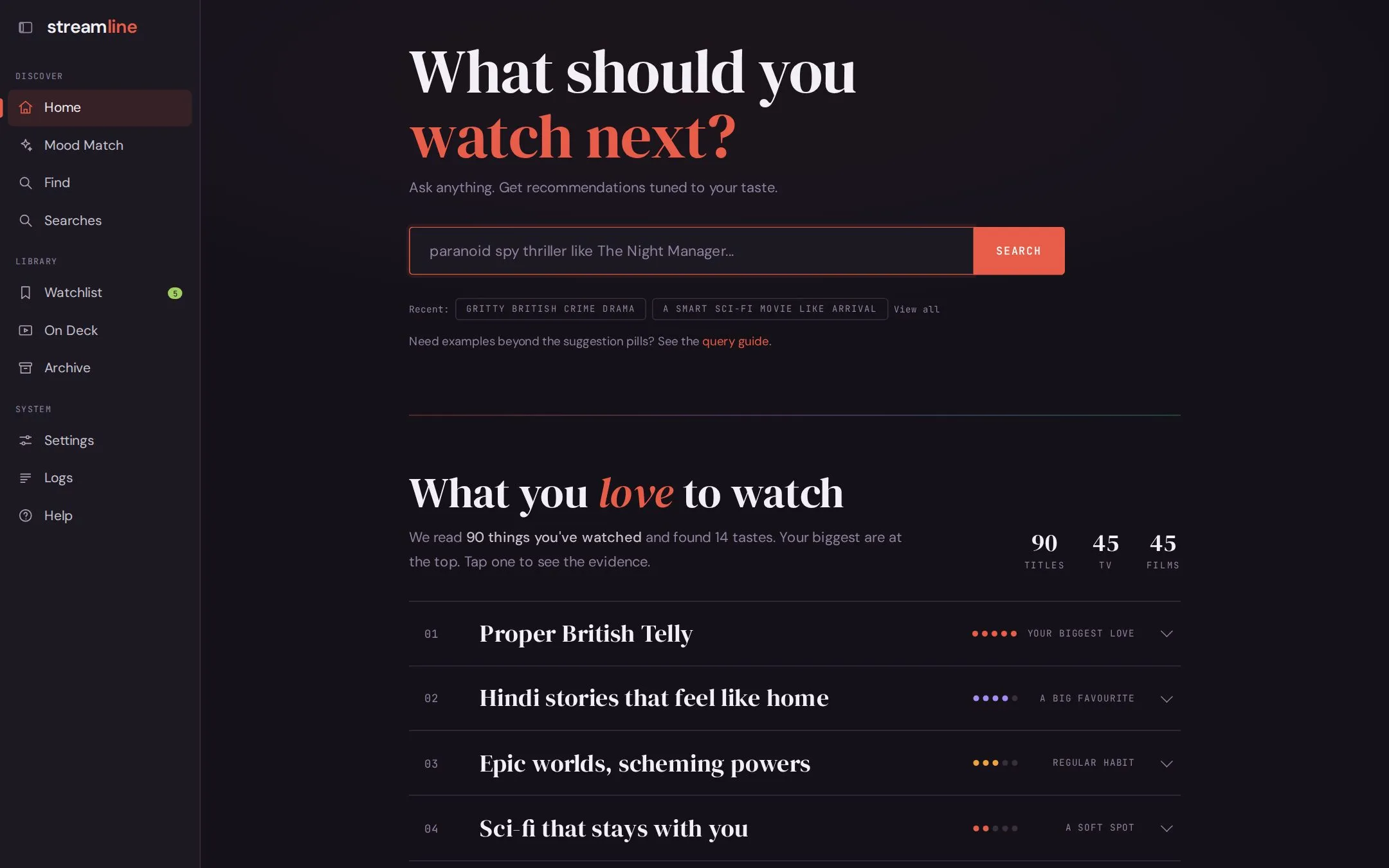
The sidebar has everything:
| Page | What it is for |
|---|---|
| Home | Ask for something in plain English, and see your taste rows. Search |
| Mood Match | Answer a few questions about tonight instead of typing. Mood Match |
| Find | The best-rated titles you haven’t seen, by filters, with no LLM. Find |
| Searches | Your past searches and their results. Watchlist and Searches |
| Watchlist | Titles you saved for later. |
| On Deck | Shows you follow, and which have new episodes. On Deck |
| Archive | Everything you’ve watched, plus Seen It and Rate It. Archive |
| Settings | Provider, models, filters, and region. Settings |
5. Tell it what you loved
Section titled “5. Tell it what you loved”The taste profile is built from the titles you mark Loved, not from everything you’ve watched. Open Archive, then Rate It, and tap through your history.
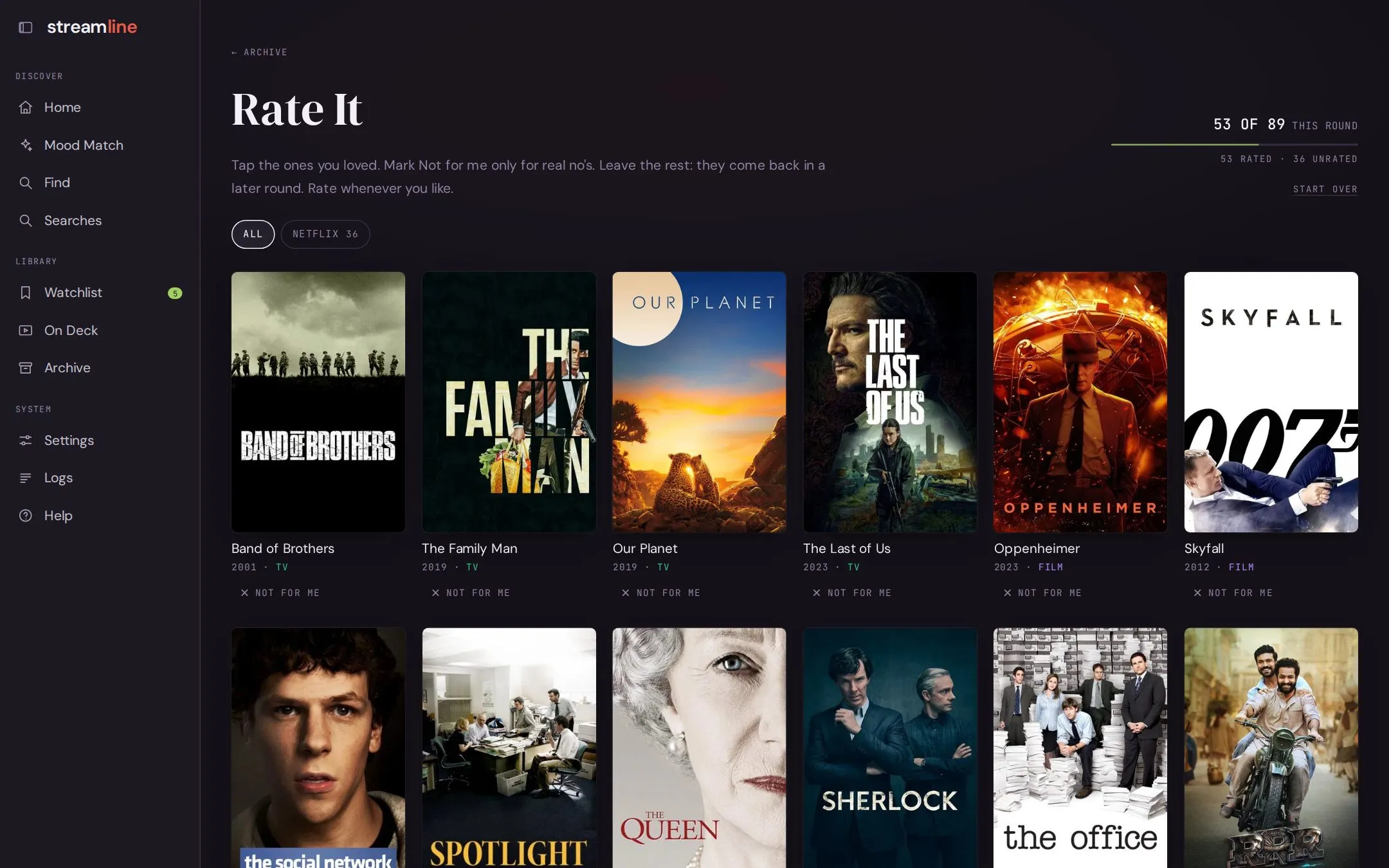
Your ratings count in searches straight away. To update the taste rows on the home page, run:
./recommend setup --refresh-profileThe app reminds you when the profile is out of date.
6. Make it yours
Section titled “6. Make it yours”- Exports miss things watched long ago or elsewhere. Archive > Seen It lets you tap through famous titles you’ve already seen.
- In Settings, set your region and the streaming services you pay for, so results show where to watch.
- Follow shows you are keeping up with, and On Deck tells you when new episodes are out.
- Connect Plex to record plays as they happen.
What it costs
Section titled “What it costs”TMDB and IMDb data are free. The only cost is the LLM, and with the default Claude models it is small:
| What | Cost |
|---|---|
| Describing your history, once | About $1 per 1,000 titles |
| Building the taste rows the first time | About $1.70 for a real library of a couple of thousand titles |
Writing the taste profile, at setup and on every --refresh-profile |
One reasoning-model call per 200 titles plus one to combine them: $0.08 for a 90-title library, and an estimated $2 to $3 for a couple of thousand titles |
| Rebuilding the taste rows with the same ratings | Nothing; the answers are saved |
| A search or Mood Match run | Usually about $0.06, rarely more than $0.15 |
| Find, On Deck, Archive, Watchlist, the API | Nothing; no LLM calls |
Each terminal search prints its exact token use and cost.
Routine --refresh-data runs only pay for descriptions of new titles; they never rebuild the profile.
A local model through Ollama costs nothing at all.
Everything also works from the terminal; see Command line.